



Overview
Most gaming laptops are sealed bets. You pick a GPU, a CPU and a screen on day one, and you live with that choice until the machine feels slow enough to justify a replacement. The Framework Laptop 16 rejects that model. Its graphics card slides out, its keyboard deck rearranges, its memory and storage are ordinary parts, and the company sells replacement pieces for nearly everything.
That pitch is strong, but a laptop still has to be a good laptop first. This review looks at whether the modular design earns its compromises, and for whom.

What you actually get
The base machine is a 16-inch, 16:10 laptop with a 2560 x 1600 IPS panel running at 165Hz with variable refresh. The original configuration pairs an AMD Ryzen 7040-series processor with an optional discrete graphics module built around the Radeon RX 7700S and 8GB of video memory. Framework has since announced newer AMD processors and an Nvidia GPU module, which shows the upgrade path is more than marketing language.
The signature feature is the Input Module system. The keyboard and touchpad sit in the middle of the deck, and the left and right sides accept swappable modules. You can fit a numpad, a macro pad, an RGB strip or plain spacers, and you can rearrange them without tools. The ports follow the same logic through Expansion Cards, small modules that slot into the chassis and give you USB-C, USB-A, HDMI, DisplayPort, microSD or other connections where you want them.
The GPU lives in a separate Expansion Bay at the rear of the chassis. If you do not need discrete graphics, you can fit a plain module and rely on the integrated Radeon graphics. If you do, you add the graphics module, which brings its own cooling and uses a heavier power adapter.
Pros
Upgradeability that holds up in practice
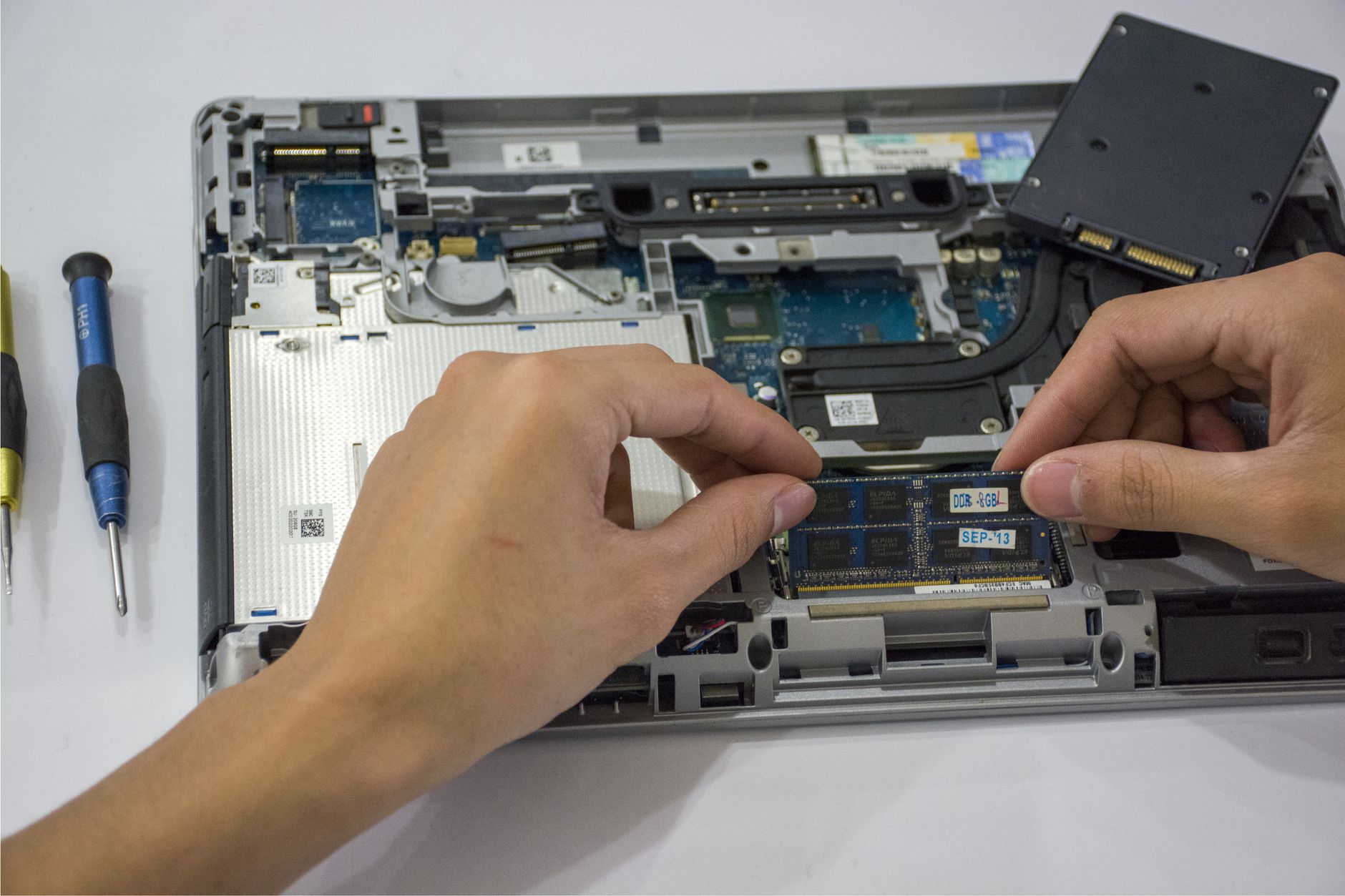
Plenty of laptops claim to be upgradeable because the SSD is removable. The Framework 16 goes further. RAM uses standard SODIMM modules, there are two M.2 slots for storage, and the mainboard, battery, display, speakers and ports can all be replaced individually. Screws are labeled, and the company supports repair with guides and a parts marketplace.
This matters most for the GPU. Graphics hardware is the part of a gaming laptop that ages fastest, and it is normally locked to a motherboard that is otherwise fine. Being able to swap the graphics module later changes the cost math over a four or five year ownership window.
A keyboard deck you can shape around your habits
The modular deck sounds like a gimmick until you consider how differently people use laptops. A spreadsheet-heavy user wants a numpad. A streamer might want a macro pad. Someone who plays with a mouse and uses the laptop mostly for travel may prefer a clean, symmetrical layout with spacers on both sides. Few laptops let you make that call after purchase, and fewer still let you change your mind.
The centered keyboard and touchpad layout also avoids the offset-numpad problem that makes many 16-inch laptops awkward to type on. The touchpad is a glass-surfaced unit with a solid click, and it holds up well beside what mainstream premium laptops offer.
A screen that suits both work and play
A 16:10 aspect ratio gives you extra vertical space for documents and code, and the 165Hz refresh rate makes motion look smooth in games. The panel is not an OLED or mini-LED, so contrast cannot match the best creative laptops. It is a sensible, versatile choice, and it avoids the compromise of a screen designed for either gaming or productivity but not both.
Ports where you need them
Because you choose the Expansion Cards, you can build a port layout around your actual desk. Photographers can fit a microSD reader, and anyone who docks at a monitor can load up on USB-C and DisplayPort. Wired networking is available as a card, and the system still has room for a spare USB-A slot for the one legacy peripheral you refuse to retire.
Cons
Weight and bulk add up
Modularity has a physical cost. With the graphics module installed, the Framework 16 is a substantial 16-inch machine, and the power adapter for that configuration is larger than the one for a thin-and-light. Someone moving between classrooms, cafes and flights will feel it.
It is not unreasonably heavy for the category, and it compares fairly with other gaming laptops. But buyers drawn in by the idea of a repairable, flexible machine should know that it does not behave like a slim ultraportable.
Battery life depends heavily on configuration
Without the discrete GPU module, the laptop can last through a lighter workday, though not at the level of the most efficient ultrabooks. With the graphics module and demanding workloads, the battery drains quickly, as it does on any gaming laptop. Two 16-inch machines with similar silicon will not differ wildly here, but the Framework does not have a special efficiency trick to rescue it.
The practical advice is to treat the discrete configuration as a plugged-in machine. Any time away from a wall outlet is a bonus.
Graphics performance has a ceiling
The original RX 7700S module is a capable 1080p and 1440p gaming GPU, and it handles many modern titles at respectable settings. It is not a flagship part. Players who want maximum settings, ray tracing at high resolution or headroom for demanding games will find faster options in conventional gaming laptops, usually at similar or lower prices.
The newer Nvidia module closes some of that gap, but it also raises a question about cost. Upgrading the graphics module later is possible, yet each module is its own purchase, and the savings depend on how long you would otherwise have kept an unmodular machine.
The price of principle
A modular, repairable laptop costs more to build than a sealed one, and that shows up at checkout. Buyers who configure a fully loaded system, including the GPU module, memory, storage and Expansion Cards, can end up spending at the level of premium gaming laptops. Those competitors typically offer a faster GPU and a more polished chassis for the money.
Framework’s DIY edition helps by letting you bring your own RAM and storage and install everything yourself. That lowers the price, but it also adds time and effort that some buyers will not want to spend.
Fan noise and thermal limits
Fitting a gaming-class GPU into a modular, serviceable chassis produces thermal trade-offs. Under sustained load the cooling system works hard, and the fans are audible. A purpose-built gaming laptop with a thicker chassis and larger cooling hardware can sustain heavier loads with less strain. The Framework is competent, but it is not tuned for maximum performance at any cost.
Who should consider it
The ideal buyer thinks of a laptop as a long-term tool rather than a two-year purchase. That person is comfortable opening a chassis, cares about e-waste, and values the freedom to replace a failed part instead of an entire machine. They might be a developer, a student with a long degree ahead, or an IT professional who already maintains hardware at work.
It also suits gamers who play casually. If your library leans toward esports titles, indie games and mid-range settings in newer releases, the graphics module is more than adequate, and the ability to upgrade later is an actual advantage.
It is a poor fit for someone who wants the fastest possible frame rates, the longest battery life or the lightest chassis. Each of those goals has a better answer elsewhere.
Verdict
The Framework Laptop 16 is not the best gaming laptop, and it is not trying to be. It is the best answer so far to a different question: what if a high-performance laptop could be repaired, upgraded and customized like a desktop?
For buyers who value that idea, the recommendation is clear. Buy it, configure it with the parts you need today, and trust that the graphics module, memory and ports can grow with you. The extra cost buys flexibility that sealed laptops cannot offer at any price.
For buyers who care only about benchmark results, portability or the lowest cost per frame, skip it. A conventional gaming laptop will deliver more speed for less money right now.
The deeper uncertainty is whether the upgrade promise pays off in dollars. If a future graphics module arrives at a fair price and fits the same chassis, the Framework 16 will have proven a point that no spec sheet can.
Frequently Asked Questions
Can you upgrade the graphics card in the Framework Laptop 16?
Yes. The GPU sits in a separate Expansion Bay module that can be removed and replaced, so newer graphics modules can be swapped in without replacing the whole laptop.
Is the Framework Laptop 16 good for gaming?
It handles many modern games well at 1080p and 1440p, especially with the discrete graphics module. It is not the fastest option, so players chasing maximum settings may prefer a traditional gaming laptop.
How is battery life on the Framework Laptop 16?
It depends on configuration. Without the discrete GPU it manages lighter workdays, but with the graphics module and demanding games it drains quickly and is best used plugged in.
Who should buy the Framework Laptop 16?
It suits buyers who value repairability, upgrades and customization over portability and raw performance, such as developers, students and casual gamers planning long-term ownership.