

Bambu Lab A1 vs Creality Ender 3 V3: Which One Actually Belongs on a Beginner’s Desk?
Choosing a first 3D printer used to mean accepting a long learning curve – hours of manual bed leveling, firmware tinkering, and failed prints before getting anything worth keeping. That equation has changed. The Bambu Lab A1 and the Creality Ender 3 V3 both target new users, but they take completely opposite approaches to solving the same problem: how do you make 3D printing accessible without stripping out the features that make it worth doing?
The A1 leans into automation and a closed, guided ecosystem. The Ender 3 V3 offers more manual control at a lower price, with a community-backed upgrade path. Neither is objectively better – but one will almost certainly suit you more depending on what you actually want from the hobby. This breakdown covers seven key factors that separate them.
1. Setup Experience
The Bambu Lab A1 arrives in a state that is genuinely close to plug-and-play. Assembly takes most users under 30 minutes, and the printer walks you through first-run calibration on its own touchscreen. Automatic bed leveling, first-layer calibration, and vibration compensation all run without user input. For someone who has never touched a 3D printer before, this removes the single biggest frustration point of the hobby.
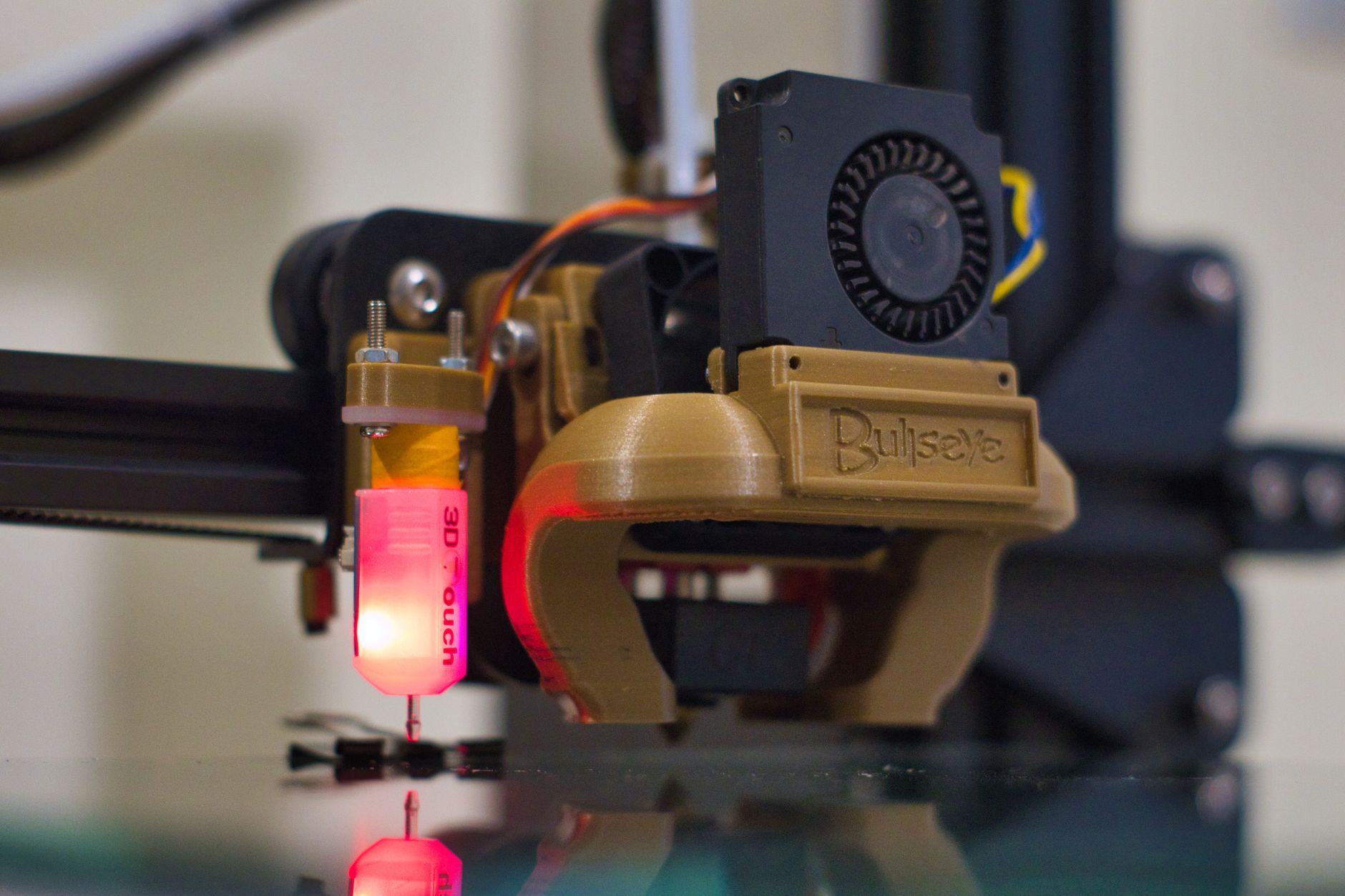
The Ender 3 V3 requires more hands-on assembly – expect 45 minutes to over an hour depending on your comfort with hardware. It does include automatic bed leveling via a CR Touch probe, which is a meaningful upgrade over earlier Ender models, but fine-tuning still demands more user attention. First-layer quality often needs manual adjustment before prints look clean.
If setup friction is your primary concern, the A1 wins without much debate. The Ender 3 V3’s setup is not difficult, but it asks more of you – which is either a drawback or a learning opportunity, depending on your mindset going in.
2. Print Quality Out of the Box
The Bambu Lab A1 consistently produces clean, detailed prints from the first session. Its CoreXY-adjacent motion system (technically a bed-slinger, but with Bambu’s calibration stack on top) handles fast print speeds without the ringing artifacts that usually appear on cheaper machines running too fast. At default settings, surface quality is noticeably smooth.
The Ender 3 V3 uses a direct drive extruder and Creality’s updated motion system, which is a significant step up from the Ender 3 S1. Print quality is good for the price bracket – wall detail is solid and layer adhesion is consistent with standard PLA. However, pushing speeds above 200mm/s does introduce ghosting on sharp corners unless you dial in input shaping carefully.
For a beginner who wants impressive results immediately, the A1 has a real edge. The Ender 3 V3 is capable of excellent output, but reaching that ceiling takes time and tuning that newer users may not have the patience for in the first few weeks.
3. Print Speed
Speed is where both printers make bold claims – and where context matters more than spec sheets. The Bambu Lab A1 is rated up to 500mm/s maximum, with a recommended print speed closer to 250-300mm/s for quality work. In real use, it prints fast and produces clean results at those speeds, which is unusual in this price range.
The Ender 3 V3 also advertises speeds up to 600mm/s on paper, but that figure is largely theoretical. Practical printing at quality-conscious speeds sits around 150-250mm/s before artifacts become noticeable. The difference between the two machines is not as dramatic as the spec sheets imply, but the A1 maintains output quality at higher speeds more reliably without manual intervention.
4. Software and Ecosystem
Bambu Lab’s proprietary slicer, Bambu Studio, is polished and beginner-friendly. It offers profile presets that actually work well out of the box, and the integration between the slicer and printer is tight. The cloud-connected workflow – where you can send prints remotely and monitor via camera – is genuinely convenient. The trade-off is that Bambu’s ecosystem is relatively closed. Using third-party slicers requires more effort, and the printer is designed to work best when you stay within Bambu’s software environment.
The Ender 3 V3 works with any major slicer – Cura, PrusaSlicer, Orca Slicer, all of them. Creality Print exists as a native option but is not mandatory. This openness gives more experienced users flexibility, but for beginners it creates a decision point: which slicer do I start with? That question alone can add an hour of research before the first print even begins.
The Bambu ecosystem also includes the AMS (Automatic Material System), which the A1 supports. Multi-color and multi-material printing becomes an option as your interest grows, without buying a new machine. The Ender 3 V3 has no equivalent native multi-material path at its price point.
5. Build Volume and Material Support
The Bambu Lab A1 offers a 256 x 256 x 256mm build volume – a near-perfect cube that handles the vast majority of practical prints without restriction. It supports PLA, PETG, TPU, and ABS with its standard setup, though enclosure-sensitive materials like ABS benefit from an enclosure the A1 does not have by default.
The Ender 3 V3 has a slightly smaller footprint at 220 x 220 x 250mm, which is still more than enough for most beginner projects. Material support is similar – PLA and PETG are straightforward, while ABS and higher-temperature materials require careful tuning and enclosure consideration neither printer natively provides.
6. Price and Value
The Creality Ender 3 V3 sits around $200-$250 depending on the variant and retailer, making it one of the more capable printers available at that price. The Bambu Lab A1 runs closer to $300-$350 in standard configuration. The gap is meaningful for a first purchase, especially if you are not yet certain that 3D printing will become a lasting hobby.
The value equation depends on what you count. If the A1 saves 10-15 hours of troubleshooting and failed print recovery that a beginner on the Ender 3 V3 might experience in the first month, that time cost is worth real money to many people. If you enjoy the process of learning hardware and dialing in a machine, those same hours on the Ender 3 V3 are not wasted – they are the point.
Adding the AMS Lite to the A1 for multi-color printing pushes the price to around $400, which changes the comparison entirely. At that level, you are buying a significantly more capable system than any Ender variant in its stock form.
7. Community Support and Repairability
The Ender 3 series has one of the largest hobbyist communities in 3D printing. Nearly every problem you will encounter as a beginner has been documented, solved, and posted somewhere accessible – Reddit, YouTube, dedicated forums. Replacement parts are cheap and widely available. The machine was designed with tinkering in mind, and that shows in how easy it is to source components and modify the hardware over time.
Bambu Lab’s community is growing quickly but is still younger and smaller. The machines are not designed with self-repair as a priority – some components require going through Bambu’s own support and parts channels, which can mean slower turnaround if something breaks. For most users, Bambu’s hardware reliability means this rarely becomes an issue, but it is a structural difference worth knowing about before you commit.
The Verdict: Which One Should You Buy?
If you want to start printing functional objects, prototypes, or hobby models with minimal friction and maximum early success, the Bambu Lab A1 is the stronger first printer. It removes the barriers that cause most beginners to give up in the first month, and it grows with you through the AMS ecosystem if multi-color printing becomes interesting later.
If you are drawn to understanding how the machine works, enjoy iterative problem-solving, and want to keep your entry cost lower while still getting a genuinely capable printer, the Ender 3 V3 is a better fit. Its open software ecosystem and massive community mean help is always close by, and the skills you develop on it transfer to any printer you use afterward.
One practical note worth keeping in mind: the Ender 3 V3 SE (a budget variant) is priced even lower and cuts some features, while the Ender 3 V3 Plus offers a larger build volume at a higher cost. Make sure you are comparing the standard V3 against the A1 – mixing variants can make the price difference look deceptively large or small. The A1 Mini, Bambu’s entry-level option, complicates the picture further at around $250, offering much of the A1’s ease of use at a price that directly challenges the Ender 3 V3’s core advantage.
Frequently Asked Questions
Is the Bambu Lab A1 worth the extra cost over the Ender 3 V3 for beginners?
For beginners who want fast, reliable results with minimal setup time, the A1 justifies the price difference. If you enjoy hands-on tuning and want a lower entry cost, the Ender 3 V3 is a strong alternative.
Can the Creality Ender 3 V3 print as fast as the Bambu Lab A1?
On paper the Ender 3 V3 advertises higher maximum speeds, but in practical use the A1 maintains better print quality at higher speeds without manual tuning.
Does the Bambu Lab A1 support multi-color printing?
Yes, the A1 is compatible with Bambu’s AMS Lite, which enables multi-color printing when purchased as an add-on bundle.